When Anthropic's Boris Cherny announced the official code-simplifier plugin on X, we were excited. A tool from the Claude Code team itself to help clean up code after long development sessions? Sign us up.
We installed it. We tested it. Then we uninstalled it and built our own.
The best code is the simplest code that works. Official plugins are starting points, not destinations.
Here's what we learned about Claude Code's architecture, why customization matters, and the surprising findings from testing all three models (Haiku, Sonnet, Opus) on the same task.
The Claude Code Terminology Jungle
Before diving in, let's untangle the terminology that even experienced users find confusing:
Term | What It Is | Where It Lives |
|---|---|---|
| Plugins | Distributable packages (like npm for Claude Code) | `~/.claude/plugins/` |
| Agents | Specialized assistants spawned for tasks | Plugin's `agents/` or custom `.claude/agents/` |
| Skills | Autonomous capabilities that auto-trigger | `.claude/skills/` |
| Hooks | Event handlers (pre/post tool execution) | `.claude/settings.json` |
| Commands | Slash commands (`/commit`, `/review`) | `.claude/commands/` |
You can have custom agents without using the plugin system. Your .claude/agents/ files are project-specific specialists that the Task tool can spawn directly.
Why the Official Plugin Fell Short
The official code-simplifier plugin is well-designed. It has sensible defaults and follows best practices. But it's generic by necessity - it needs to work for everyone.
Here's what we found:
1. Model Mismatch
The official plugin uses Opus by default. For a code cleanup task, that's expensive overkill. Our testing revealed that Sonnet catches the same issues as Opus while costing significantly less.
2. Missing Project Context
The official agent says "follow the established coding standards from CLAUDE.md" - but it doesn't know our standards:
- 1.We use
rufffor Python formatting (not black) - 2.We have specific Svelte 5 patterns with runes
- 3.Our multi-schema PostgreSQL setup has naming conventions
- 4.We run formatters automatically via hooks
3. No Actionable Checklist
The official agent provides principles. Our agent provides a checklist:
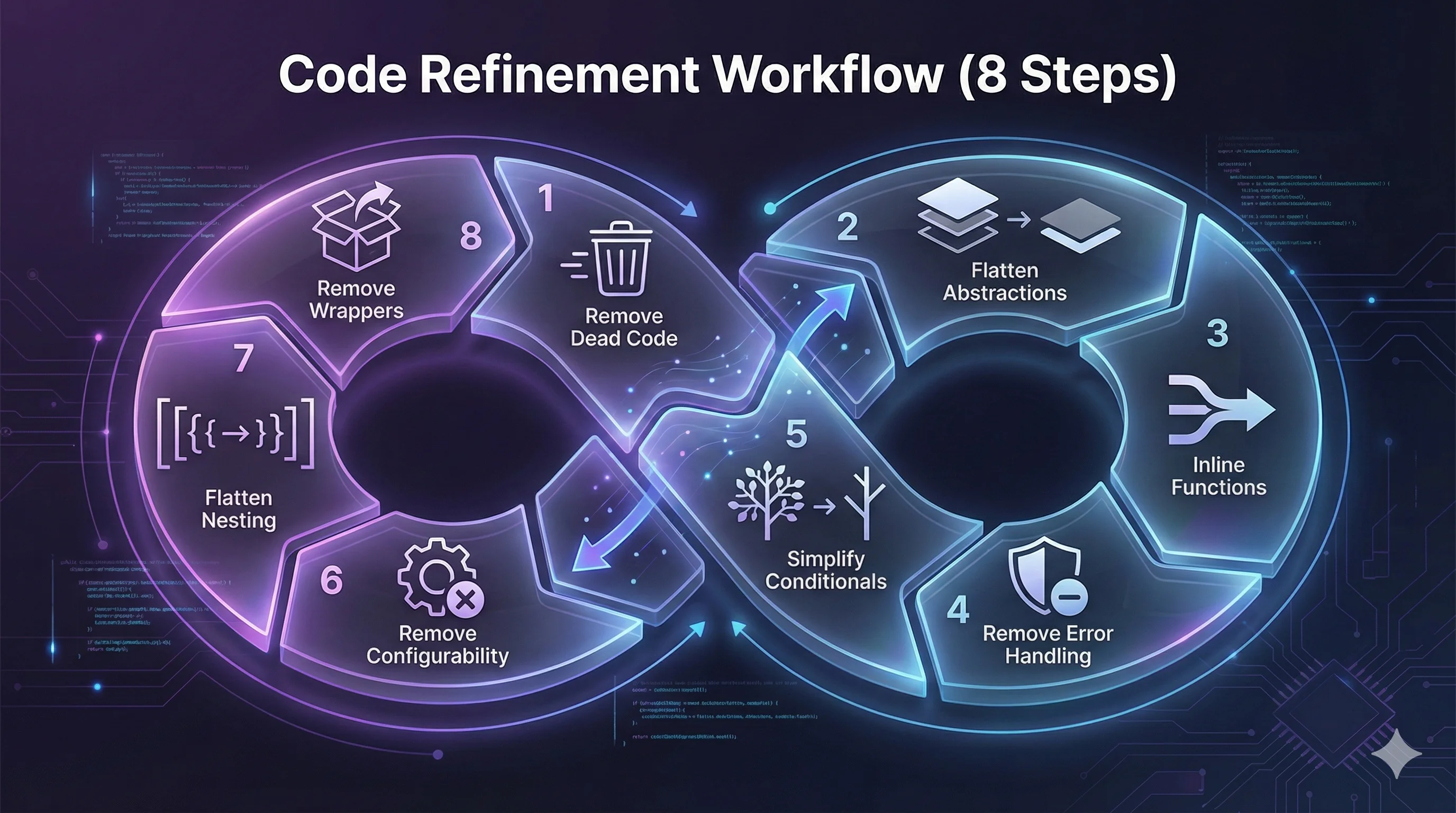
Our 8-step simplification process:
- 1.Remove dead code - unused imports, variables, functions
- 2.Flatten unnecessary abstractions - classes that wrap simple operations
- 3.Inline trivial functions - one-liners that add no value
- 4.Remove redundant error handling - catches that just re-raise
- 5.Simplify conditionals - verbose boolean logic
- 6.Remove premature configurability - config for hard-coded values
- 7.Flatten deep nesting - 4+ levels of if/for blocks
- 8.Remove wrapper classes - classes that are just dict wrappers
The Model Showdown: Haiku vs Sonnet vs Opus
We ran all three models on the same files with identical prompts. The results were illuminating.
Test File: tech_stack.py (171 lines)
Model | Issues Found | Est. Lines Saved | Unique Insight |
|---|---|---|---|
| Haiku | 5 | ~30 (17%) | Suggested ORM migration |
| Sonnet | 5 | ~30 (17%) | Noted frontend could derive categories |
| Opus | 5 | ~20 | Most conservative estimates |
Test File: dashboard.py (123 lines)
Model | Issues Found | Est. Lines Saved | Unique Insight |
|---|---|---|---|
| Haiku | 5 | ~35 | Helper function pattern |
| Sonnet | 5 | ~35-40 | **Best**: Consolidate 4 DB queries into 1 |
| Opus | 5 | ~22-25 | Noted multi-schema architecture |
For code refinement tasks, Sonnet is the sweet spot.
The Token Economics Shift
An interesting observation: the token display showed identical counts (25.4k) for all three models. This is the input context - identical because they received the same prompt and files.
But here's the bigger picture: Claude Code's default model upgraded from Sonnet to Opus, yet overall token usage hasn't dramatically increased. Why?
Claude Code is becoming a sparse mixture of experts. The main orchestrator (you) may route to different internal capabilities based on the task. Model selection is becoming a capability ceiling, not a strict assignment.Gemini CLI has already moved to dynamic model selection by default. The trend is clear: let the system choose the right tool for each subtask.
Building Our Custom Agent
Our code-refiner agent (renamed from simplify-code to avoid confusion with the official plugin) includes:
- 1.ProHive-specific checklists with Python and Svelte examples
- 2.Automatic formatter integration (ruff for Python, Prettier via hooks for TypeScript)
- 3."What NOT to simplify" section (type annotations, security checks, tests)
- 4.Structured output format for consistent reporting
yaml# .claude/agents/code-refiner.md
name: code-refiner
description: Code refinement specialist for ProHive
model: sonnet  # Based on our testing
tools: [Read, Write, Edit, Grep, Glob, Bash]
The Workflow We Documented
After building the agent, we created a formal workflow:
Implement Feature → Run Tests → Code Refiner → Verify → CommitThe refiner runs after the feature works but before committing. It's a cleanup pass, not a development tool.
Key Takeaways
- 1.Official plugins are starting points, not destinations. Use them for inspiration, then customize.
- 2.Model selection matters less than you think. Sonnet often matches Opus for practical tasks.
- 3.Project context is everything. A generic agent can't know your formatters, conventions, or architecture.
- 4.Claude Code is evolving toward dynamic orchestration. The "model" you select is becoming more of a preference than a strict choice.
- 5.Document your customizations. We created
.claude/reference/workflows/code-refinement.mdso future sessions know how to use the agent.
Try It Yourself
If you're using Claude Code, consider building custom agents for your repetitive tasks:
- 1.Install the official plugin:
claude plugin install code-simplifier - 2.Read the agent file:
~/.claude/plugins/cache/.../agents/code-simplifier.md - 3.Copy it to your project's
.claude/agents/directory - 4.Customize for your stack (formatters, conventions, checklists)
- 5.Test with different models to find your sweet spot
- 6.Document the workflow for your team
This article was written collaboratively with Claude Code (Opus) during a real development session where we built and tested the code-refiner agent. The session transcript informed every section.